Meeting room software for the 9 AM board room rush
The 9 AM Monday spike hits every conference room you have at once. A member books the board room for a quarterly review and needs catering on the table by 8:45 AM. A guest texts at 11:14 PM asking if Studio B is open Wednesday afternoon. A walk-in wants an hour, right now, in a room with a door that closes. Your front desk is one human and they are already on the phone. The $400 board room sits dark on Tuesday while you answer an inquiry from a couple who already inquired at five other spaces — the inbox is the front door and the front door is broken. Appointible closes the front door so the rooms book themselves while you sleep.

Hourly bookings, repeat team blocks, and after-hours coverage — without the front desk in the middle.
You did not buy a coworking space to be the after-hours host. You did not sign a lease so you could unlock the door at 6:45 AM and answer 14 inquiries on Sunday night. Your members and guests do not wait for business hours to plan their week. They book the 8 AM Tuesday board room on Sunday night. They re-book the Friday team huddle every week. They need a projector reserved and a host on shift, and they need to know it is handled before they walk in. Appointible meeting room software runs that work in the background — real-time room availability through the rooms calendar, hourly and day-pass services, the team calendar, appointment custom fields for AV and catering notes, and reminders that fire before the booking starts — so the room is ready, the guest arrives, and your host does not have to call you at 7:30 AM.
Online Booking
Rooms booked the minute they open up.
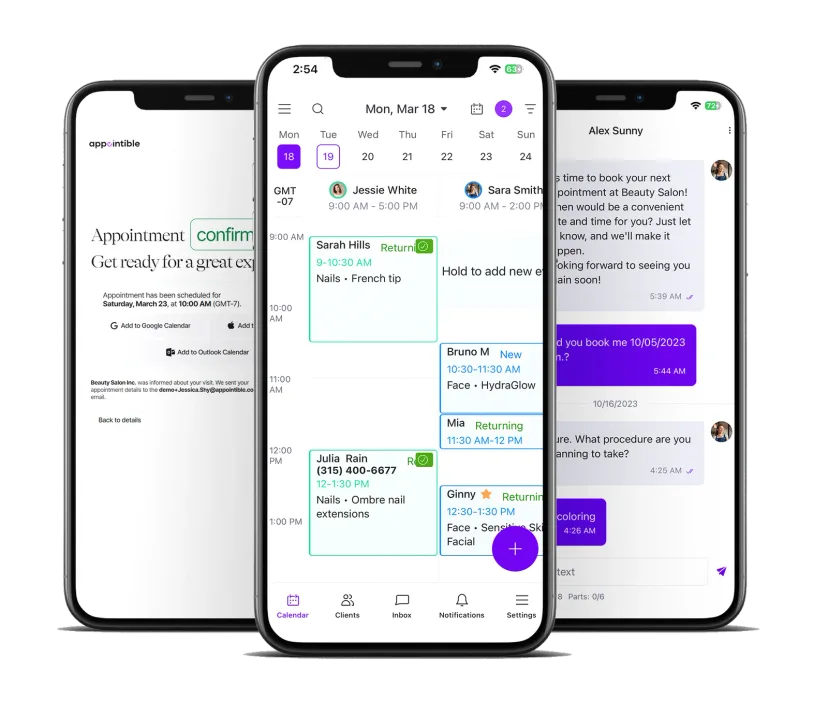
Instant room booking with real-time availability
A guest sees every room you have on your rooms calendar, with the hourly and half-day services priced. The 6-seat huddle shows taken from 10 to noon. The 14-seat board room shows open from 1 to 5. They pick a slot, the room locks the second the booking confirms, and an email confirmation fires. The SMS reminder cadence keeps the room held. No double bookings on the 9 AM Monday spike. The booking page works on a phone at 11:14 PM the same way it works on a laptop at 8 AM.
Repeat team bookings the calendar respects
A member runs a weekly all-hands every Tuesday from 9 to 10:30 in your board room. Use the team booking link to book the slot week by week against the rooms calendar — every Tuesday, on the same room, with appointment custom fields holding the AV note for the host. The team calendar shows every recurring booking on one screen. The difference between a $400 board room sitting dark on Tuesday and one paid for through December is whether the booking is on the calendar — and Appointible holds it.
AV and catering notes captured at booking
When a guest books the board room, the appointment custom fields ask for the AV setup, the catering need, the parking validation, the after-hours door instructions. The host sees the answers on the appointment record before the guest walks in — projector and HDMI noted, conference phone confirmed, lunch catering routed to your kitchen partner through Zapier if you've wired it up. No phone tag the morning of. The note captured at booking is the note the host reads before the guest arrives — set up, ready before the host shakes a hand.
Guest Communication
Reminders, change comms, and after-hours host notes — handled.
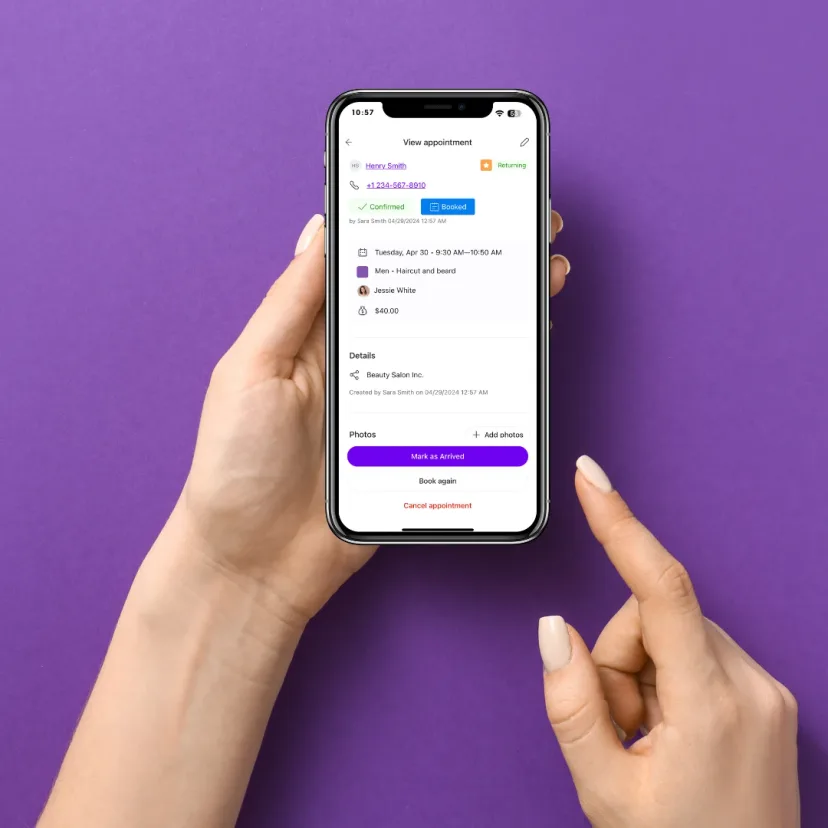
Arrival reminders the day before and the morning of
Twenty-four hours before the booking, the guest gets an email confirmation with the room name, the floor, the parking note, and the load-in door. The morning of, an SMS reminder fires (Pro) with the host name from the team profile and a one-tap link to the building map through the custom URL. The 9 AM Monday spike stops being your problem — the guest walks in already knowing which suite, which floor, which door. Front desk goes from triage to greeting.
Last-minute change comms over two-way SMS
A guest texts at 7:30 AM saying their team grew from 6 to 10 and asks if you can move them to a bigger room. You reply from your phone — yes, Studio C is open, moving you now — reassign the booking on the rooms calendar, and the host alert and catering note follow on the appointment record. No phone tag. No guest walking into a room that no longer fits them. Appointible's messages inbox (Pro) keeps every thread tied to the booking, so the next person on shift sees the whole thread and the new room without re-asking the guest what they need.
After-hours coverage reminders for the host on shift
A member books your coworking conference room for 7 PM on a Thursday — long after your front desk closes. Custom scheduled notifications (Pro) fire to the evening host at the time you set with the booking details — guest name from the client profile, room from the rooms calendar, AV note from the appointment custom fields. The booking sits on the team calendar, the host has the heads-up on his phone before the guest arrives, and you do not stay late. After-hours bookings turn into revenue you collect while the lights at the front desk are off.
Space Operations
Hosts staffed, rooms turned, set-ups dispatched.
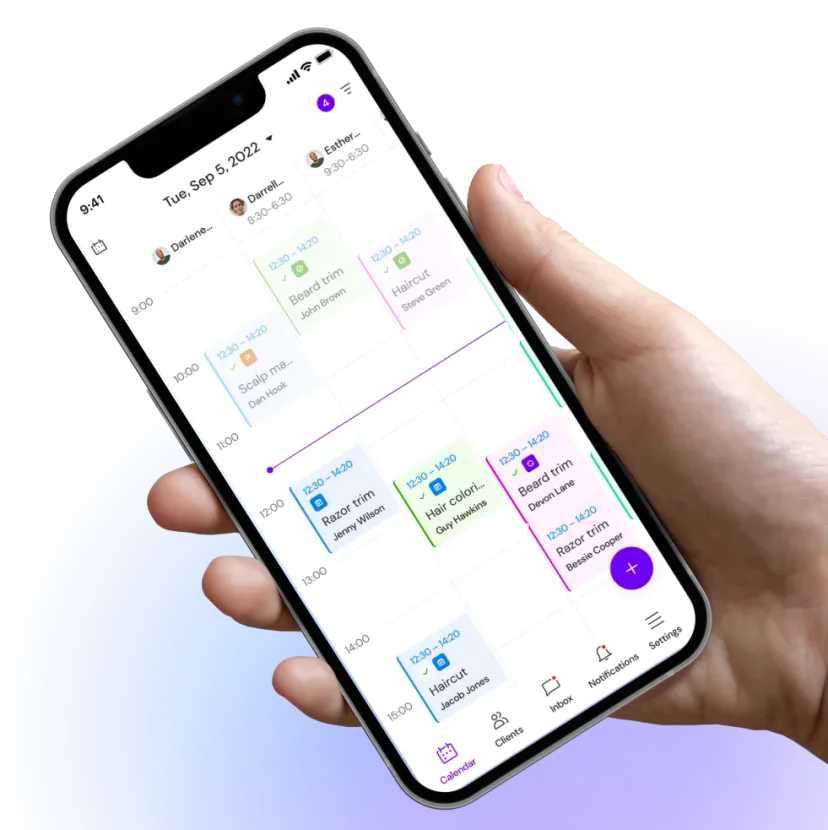
Host and concierge scheduling tied to the rooms
Your front desk concierge works 8 to 6, your evening host covers 6 to 10, and your weekend host covers Saturday mornings. Appointible holds each host's service-provider work schedule next to the rooms calendar, so a 7 PM Thursday booking lands on the evening host's day, a Saturday 10 AM board room booking lands on the weekend host's day, and the team calendar shows every guest about to walk in. Vacation tracking blocks days off. You did not buy a coworking space to be the after-hours host yourself — staffed hosts mean the 7 PM Thursday isn't yours.
Multi-room visibility across the whole floor plan
You run six rooms — two huddles, two mid-size, one board room, one event space. The rooms calendar tracks each room's availability, and each room is a service with from–to, fixed, or varies pricing for the hourly and day-pass rates. The 4-person team books a huddle. The 14-person off-site books the event space. When a booking grows or shrinks, you reassign on the rooms calendar in a couple of taps. Multi-room visibility is how a coworking floor stops over-renting the small rooms and under-renting the big ones — without you and a coordinator editing the same spreadsheet at 11 PM.
Turnover windows the next booking respects
A board room booked 9 to noon needs 30 minutes of set-up before — chairs to U-shape, water on the table, projector tested — and 20 minutes of tear-down after. Set the service duration so the next slot only opens once your turnover window has cleared, and the booking page never offers a slot that collides with a catering breakdown. A custom scheduled notification (Pro) fires to your operations team with the layout note and catering note from the appointment custom fields. The host never walks a guest into a room being reset. The turnover window is what keeps a high-turnover meeting space from looking like a high-turnover meeting space.
Three steps to take your first online room booking.
Get your rooms online and bookable around the clock. Appointible is set up in an afternoon — and free import and export plus free onboarding with Pro mean the move is light. No credit card for the Free plan.
Create your account
Sign up to the Free plan in minutes and add your space, your hours, and your team. No credit card.
List your rooms and services
Add each room to the rooms calendar — hourly rate, day-pass rate priced through service price types — and customize your branded booking page (Pro) or embed the calendar widget on your existing site.
Share and get booked
Put your booking page on your website, in your member portal, and in your tour follow-ups. Real-time availability, around the clock.
New to Appointible?
Our online booking solution can help you seamlessly get a fully booked agenda for your business.
Get started freeEverything a meeting room or coworking space needs in one booking system.
Appointible is built for room-and-board operators who run hourly bookings, repeat team blocks, after-hours coverage, and multi-room scheduling — not for enterprise sales teams with a dedicated admin. Stop paying enterprise rates for software that needs a full-time admin you do not have. Here is what comes in the box.
Text marketing for off-peak rooms.
Your Tuesday afternoon board room sits empty more than it should. SMS campaigns (Pro) let you text your member list a same-week promo — half-day rate on the board room, Tuesday and Thursday only — and watch the dark hours fill. SMS is the fastest channel to move idle room hours into paid bookings without another ad spend you cannot justify.
Explore SMS Marketing SoftwareNumbers the pricing call needs.
See which rooms earn, which hours fill, which day-passes turn into repeat bookings, and which members are growing. The dashboard turns six months of booking data into the pricing and capacity calls you have been making on instinct at 11 PM with a glass of wine.
Explore Business Insights SoftwareReminders that keep the hourly room booked.
An hourly room sitting dark because a guest forgot is revenue you cannot reclaim. Email confirmation when they book, SMS reminder the day before (Pro), custom scheduled notification two hours before with the host name and parking note — drops no-shows hard. The guest who actually planned to come gets the room ready, on time, every time.
Explore Appointment Reminders SoftwareMeeting room bookings app.
Run the floor from your phone with the iOS or Android app. See every room on the rooms calendar, every booking, every host on shift. Reassign a guest to a bigger room while you walk to greet them. The app is what makes the 9 AM Monday spike a wave you ride instead of a wave that breaks on the front desk.
Explore Employee Scheduling AppHosts and concierge on one calendar.
Hosts, concierges, evening cover — each with their own working hours, their own service assignments, their own vacation. The team calendar puts every shift on one screen. Team profiles and permission levels keep the right person on the right booking, and stop a coordinator and an owner editing the same calendar against each other on a 60-hour week.
Explore Employee Management SoftwareMember and guest history.
Every member, every walk-in guest, every preferred room — in one client profile. Custom fields hold their billing reference and preferred room. Labels mark anchor members. Client segmentation surfaces which guests are one or two bookings away from becoming members. Free import and export of your client data plus free onboarding with Pro.
Explore Client Management SoftwareMake your next move.
Start your free trial. Pay only for the staff you have — no commitment, cancel anytime.