Designer consultation software for the first meeting that converts
It is 9:47 PM Tuesday. The laptop is open on the kitchen counter. Three tabs alive — a Friday DM you only just found, a scheduling admin page because Margaret moved Tuesday, a 'booking software for designers' search you started Monday between client calls. You refined the portfolio for five years. The typography is exact. The case studies are precise. And the contact form at the bottom is going to voicemail for 72 hours while the prospect you most wanted hires the designer who answered her DMs on Saturday. You did not build a studio. You built a beautifully decorated contact form.

A branded booking page for the part of the studio every other tool got wrong.
You did not become a designer to become a calendar. The job you signed up for is 40% of your week. The other 60% is back-and-forth tennis — six emails to lock a revision meeting, four to confirm a site visit, two more when the contractor moves the slot — and the inbox is your operating system because every tool you tried disappointed you at the scheduling. Appointible does the one thing those bundled suites got wrong. Booking — discovery calls, site visits, presentations, selections, revisions, walkthroughs — on a page that looks like the studio that built the portfolio, on a custom URL with your branding (Pro). Whatever you already use stays exactly where it is. Pro includes free onboarding assistance plus free import and export. Start free on the Free plan, no credit card required for Free signup.
Online Booking
The inquiry that came in Friday at 9 PM should not be on someone else's calendar by Monday.
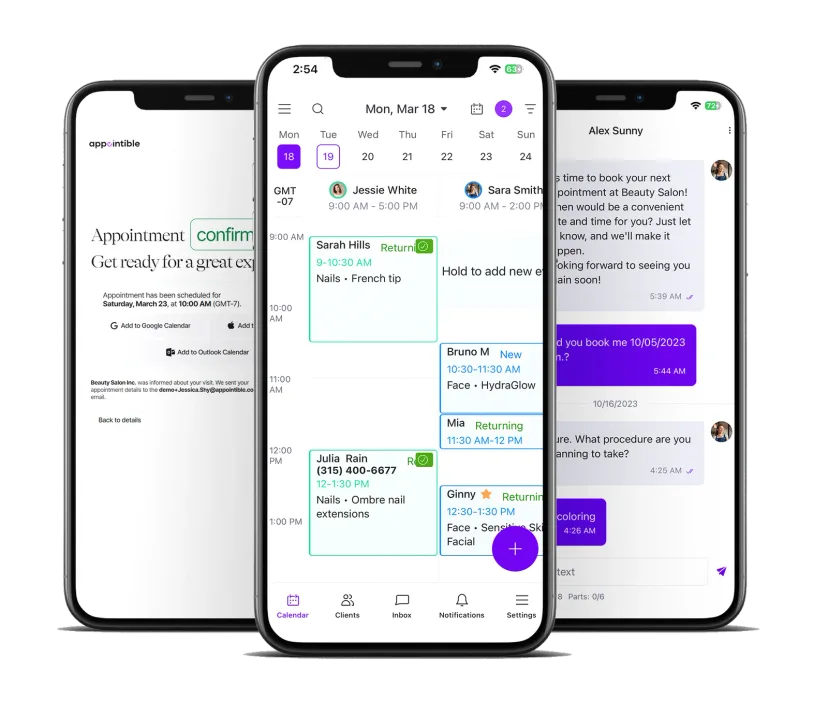
A booking page that looks like you designed it
The contact form at the bottom of your portfolio is the moment the brand you built dissolves. Five years of typography work, considered case studies, photography you art-directed — and then a form that sends the prospect into a 72-hour silence she reads as 'this designer does not have her act together.' Appointible publishes your booking page on a custom URL with your-brand white-labeling and Appointible branding removed (Pro), in your typography, with your discovery call, site visit, and presentation meetings sitting where the contact form used to. Not a scheduling link. Not someone else's marketplace. Your studio, continuing past the gallery — answering the prospect with the same care your case studies do.
Discovery calls that confirm in-person or online
Your booking infrastructure required you to be available, and you have a job that puts you in client rooms, design centers, and on-site walk-throughs for 60% of your week. The DM at 9:14 PM Friday did not go cold because you were not responsive as a person — nothing could answer for you. Drop the booking link in your Instagram bio, your Houzz inquiry auto-reply, your Behance profile, and every referral email. The Friday DM converts to a confirmed discovery call Saturday morning — in-person or online for the UX/UI and remote-design consult, with the meeting link dropped into the confirmation — while you are still asleep.
Custom-field intake the unserious prospects filter themselves out of
You are intentional about the clients you take on. The serious prospect fills custom fields for scope and budget at booking and arrives ready; the Pinterest-fire inquiry that was just a feeling drops off at the intake questions. The intentionality you have been wanting to practice finally has the infrastructure to make it real.
Client Communication
Reminders that keep the spouse and the contractor in the room — without you in the inbox.
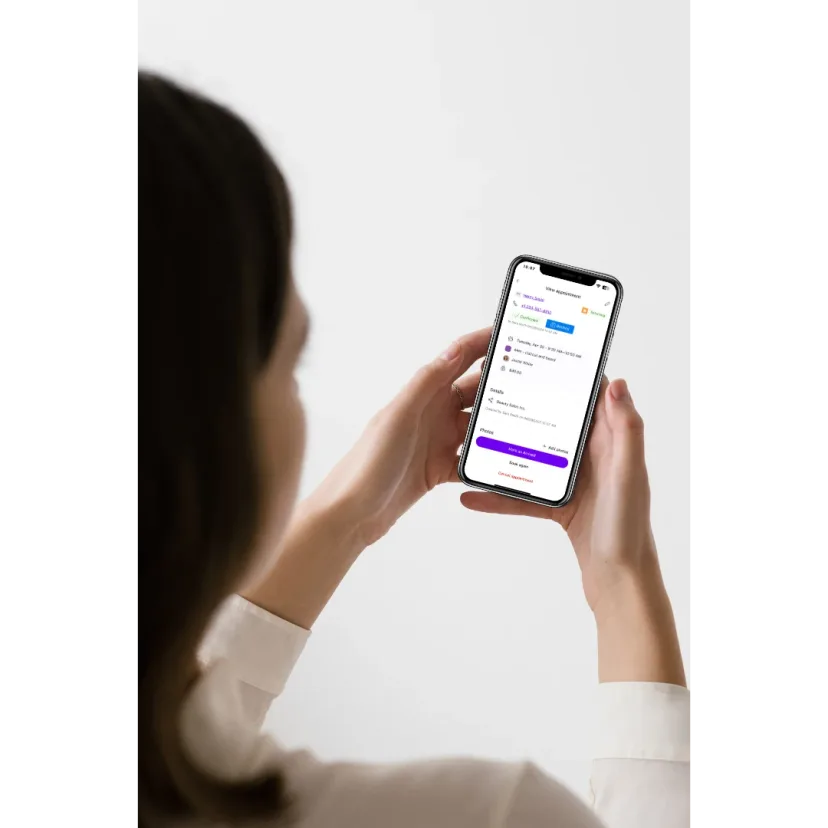
Site visit and presentation reminders that ping every party
The presentation where one spouse forgot it was happening is the presentation you do twice. The site visit where the contractor never confirmed is the Tuesday you drive ninety minutes to nobody. Appointible sends automated SMS and email reminders to every party on the booking — homeowner, contractor, trade rep — at week-of, day-of, and morning-of cadence through custom scheduled notifications, with the address and parking notes you wrote once. The Tuesday you used to spend chasing confirmations becomes the Tuesday you spend on the palette.
Presentation prep that lands before the client opens the door
Every presentation has the same drumbeat — review the palette beforehand, contractor should bring rough framing dimensions, here is the buzzer code for the studio. Right now those four messages live across three Gmail threads and one iPhone Notes file you cannot find at 9:47 PM the night before. You had a terrible time finding emails — it was a mess. Appointible queues the prep sequence from the booking date, in your voice. The client opens the palette PDF before the meeting, not during it. The presentation starts at the work — not at the recap of what you already sent.
Two-way SMS for sample, vendor, and order updates
Clients do not check a portal. They check texts. When the fabric came in three shades off, when the trade-only vendor confirmed a six-week lead, when the sample-return obligation is up next Friday — the message goes out as SMS and the reply lands as a thread you can answer from the design center, the car, or the workroom. No more forgetting to order the small items, miscounting handles for kitchen cabinets, losing track of shipment statuses. The substrate stops being email-as-database. The 9 PM inbox archaeology ends.
Studio Operations
Studio days, on-site days, trade-only days — the calendar bends to your week.
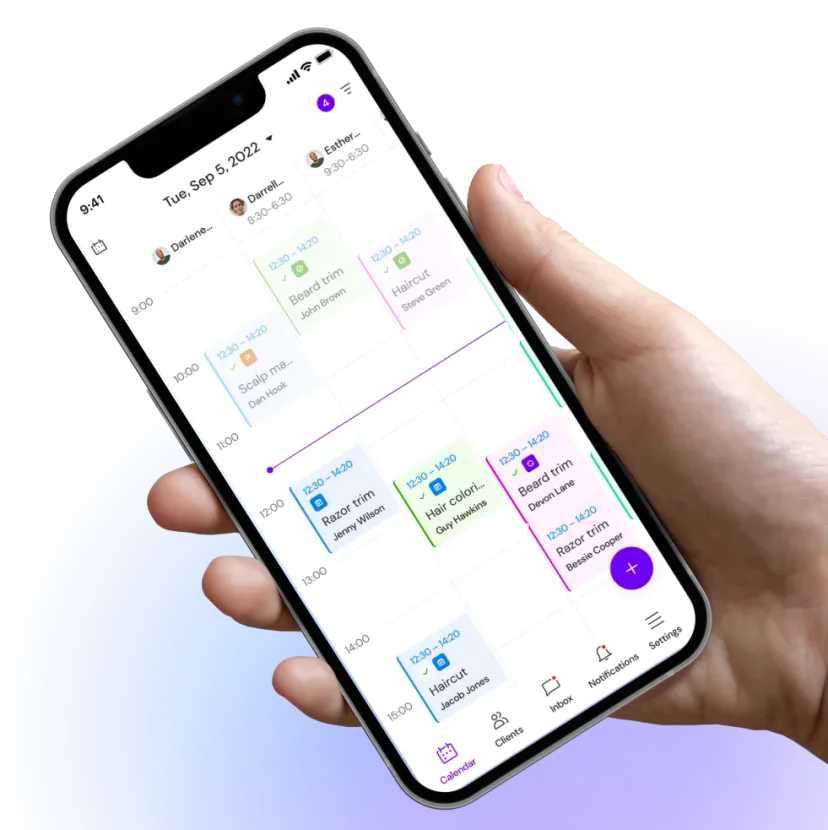
Project-lifecycle scheduling, not a generic slot picker
The generic scheduling tools are just meeting widgets. The wedding-vendor suites are for wedding photographers. The marketplace tools are built for lead capture. None of them were built for what you actually do — five to ten active projects, each with four to nine touchpoints. Appointible lets you publish discovery call, on-site walk-through, presentation, selections, revision, and final walkthrough as distinct services — each with its own price (fixed, from–to, or varies), duration, custom fields, and reminder chain. The custom fields capture rooms in play, budget range, timeline, and design style — so the discovery call starts at the project, not at the recap. You stop hand-threading 90 touchpoints a quarter through Gmail.
Studio days, on-site days, trade days — Google Calendar and Office 365 in sync
A designer's week is not an office worker's week. Monday is sourcing at the design center. Tuesday is on-site walk-throughs in two zip codes. Wednesday is drafting and palette work that needs an uninterrupted four hours. Thursday is trade-only showroom appointments. Appointible's service provider work schedule and business open hours let you mark studio days as no-bookings, hold a trade-day block the public never sees, and Pro adds two-way Google Calendar sync and Office 365 Calendar sync so the Wednesday deep-work morning never gets double-booked. Clients only see the slots that fit the day you are actually living.
Associates, coordinators, trade partners on one team calendar
The coordination meeting where the GC, the homeowner, the electrician, and you all need to be in the same room takes nine emails to schedule, and the studio coordinator is doing it from a Notion board that does not talk to your Gmail. Appointible's team booking page lets clients pick a slot that works across multiple service providers per appointment — same for vendor field visits, trade-rep workroom calls, and the associate handing off the install walk-through. Pro has unlimited users at $5 per user per month on annual billing. The season you bring on a junior designer is not the season the platform punishes you.
Open for booking before the next Friday inquiry lands.
Used by design studios from Austin and Brooklyn to Atlanta, Charleston, Nashville, Portland, and San Diego. Stand up your discovery-call page, your walk-through page, and your presentation booking. Pro includes free onboarding assistance plus free import and export. Start free on the Free plan — no credit card required for Free signup.
Create account
Two minutes. Email, design specialty, the cities you take projects in. The Free plan is $0 forever for up to 4 users and 200 appointments a month.
Create a booking page
List discovery calls, on-site walk-throughs, presentations, selections, revisions, and final walkthroughs — each with price type (fixed, from–to, or varies), duration, custom fields, and reminder chain. On a custom URL with your-brand white-label (Pro), synced to Google Calendar and Office 365 (Pro).
Share and get booked
Drop the link where the contact form used to be, in your Instagram bio, your Houzz auto-reply, and every referral email. Real-time availability. The custom-field intake lets the unqualified inquiries filter themselves out before the call.
New to Appointible?
Our online booking solution can help you seamlessly get a fully booked agenda for your business.
Get started freeBuilt for the way a 1–3 person design studio actually books.
Not a bundled suite. The one thing those suites got wrong — with free onboarding assistance on Pro and free import/export of your existing data. Trusted by independent design studios across the US. Start free on the Free plan, no credit card required to sign up.
Text marketing for past clients and warm leads.
Promote a seasonal palette consult or a limited fall walk-through window to your past-client list. A text the client actually opens fills the calendar from people who already know you, before you spend on ads.
Explore SMS Marketing SoftwareSee the discovery-to-signed gap, finally.
Track discovery calls booked, walk-throughs converted to projects, average design fee, and revenue per project type. The numbers you have been avoiding become a dashboard, then a fixed problem — and the insecurity gets replaced with information.
Explore Business Insights SoftwareReminders that keep the spouse and the contractor in the room.
Automated SMS and email reminders go to every party on the booking — homeowner, spouse, contractor, trade rep — week-of, day-of, morning-of. The reschedule-because-someone-forgot meeting stops happening.
Explore Appointment Reminders SoftwareA scheduling app you can run from the design center.
Manage walk-throughs, reschedules, and the day's roster from your phone between a showroom and an on-site. The app is your studio when the studio is on location.
Explore Employee Scheduling AppAssociates and trade partners in one calendar.
Add designers, junior associates, and the studio coordinator as the practice scales, assign walk-throughs by designer with multiple service providers per appointment. Pro has unlimited users at $5 per user per month on annual billing — the season you bring on help is not the season the platform punishes you.
Explore Employee Management SoftwareClient history that survives the renovation.
Every client's rooms (captured in custom fields), every palette delivered (in appointment notes), every project tagged with segments and labels. Client photo history holds the before-and-after on the file. Repeat projects get easier when the dog's name and the dining-room rug live on the record — no more terrible time finding emails.
Explore Client Management SoftwareMake your next move.
Start your free trial. Pay only for the staff you have — no commitment, cancel anytime.