University appointment software for advising and office hours
It is 7:42 on a Tuesday in October and the subject line in your inbox contains the word 'concerned.' A trustee whose daughter never got the tour confirmation. An advisor down to forty hours of caseload she inherited from the colleague who resigned in September. A professor who has now been stood up three Thursdays in a row at the same fifteen-minute office-hour slot. Appointible handles tour scheduling, advisor load-balancing, faculty office-hour windows, and career-center sessions inside one institutional booking platform — calibrated to the academic calendar your administrators were promised would be respected and never has been. The scheduling layer your SIS does not do well, done well.

One booking platform for admissions, academic advising, faculty office hours, and campus services.
Your director of academic advising has become the integration layer between fourteen disconnected tools — and the cost is showing up in her body, her staff retention, and the prospective students she can name who never came back for the second tour. Admissions answers each Google Form tour request by hand. Advising blocks slots on Outlook and emails the Zoom link three times because students miss the first two. Faculty post sign-up sheets outside the office door and re-type them on Friday. Career services lives on a doodle poll. Every registration period, every one of those workarounds breaks at the same time. Appointible gives each department a real booking page tied to the people, rooms, and hours they actually have — and gives the dean's office one institutional view of utilization without anyone having to email a weekly report.
Online Appointment Booking
Prospective students, advisees, and office-hour walk-ins book themselves.
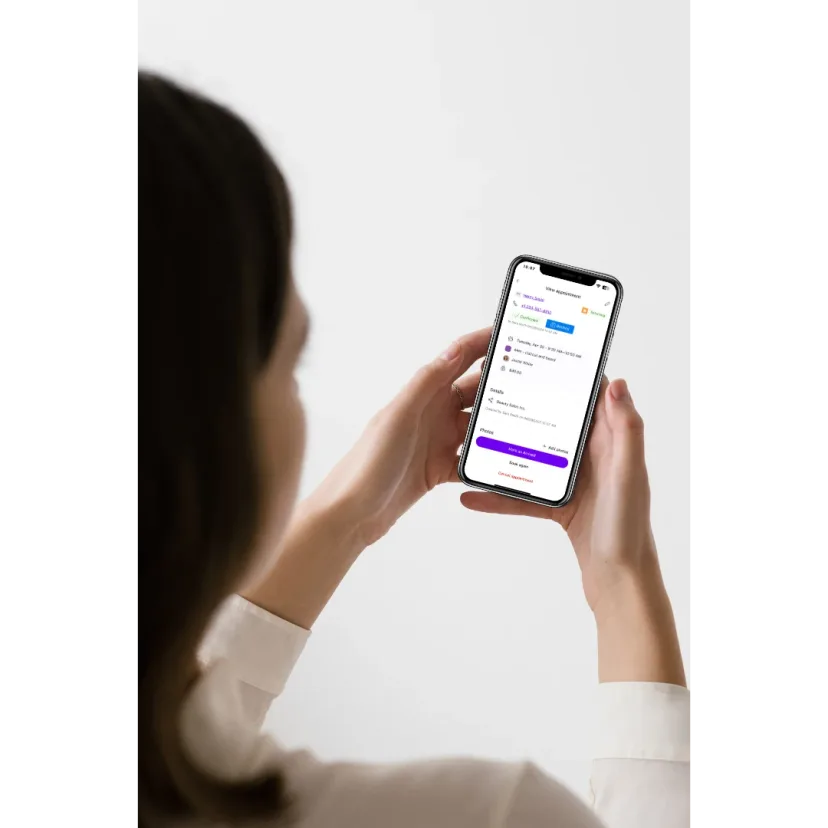
Admissions tours published with the right team and rooms
Your admissions office hosts six tour slots a day in fall, three in summer, and a Saturday open-house wave that doubles capacity for one weekend in April. Each tour pairs prospective students with two ambassadors and a room. Right now your coordinator hand-tracks RSVPs in a Sheet and emails the waitlist when somebody cancels — and scheduling tours over the phone, one call at a time, is its own kind of nightmare. Appointible publishes the tour slots on a branded booking page, the ambassador's calendar locks the slot the moment it's booked, and the applicant walks away with a confirmed time before she closes the tab — instead of a voicemail back-and-forth that stretches into next week.
Advising appointments students can book across the whole team
Walk into the advising office the week before registration period opens and the line is to the door. When an advisor carries a caseload of four hundred, it becomes impossible to get to every student. With Appointible's team booking page, an advisee sees the next open slot across the whole advising team — not just one advisor — and books with whoever can see her soonest in her department. The senior advisor no longer sits in an empty office while a junior advisor's queue spills into the hallway. Workload spreads across the team instead of pooling. 'I could not get in until November' stops being something the dean hears.
Faculty office hours opened and closed in two taps
Dr. Patel holds office hours Tuesdays 2-4 PM and Thursdays 10-noon. The week before midterm she opens an extra two hours. The week of Thanksgiving she closes everything. Right now her office hours live on a paper sign-up sheet that the next student to walk in tears the top entry off of. Stood up. Again — that is what the cumulative office-hour no-shows feel like. Appointible gives every faculty member a private booking page tied to their teaching calendar — a student picks a free fifteen-minute window between classes from her phone and the slot disappears for everyone else the moment she clicks confirm.
Student Communication
Reminders that respect the registration period and the academic calendar.
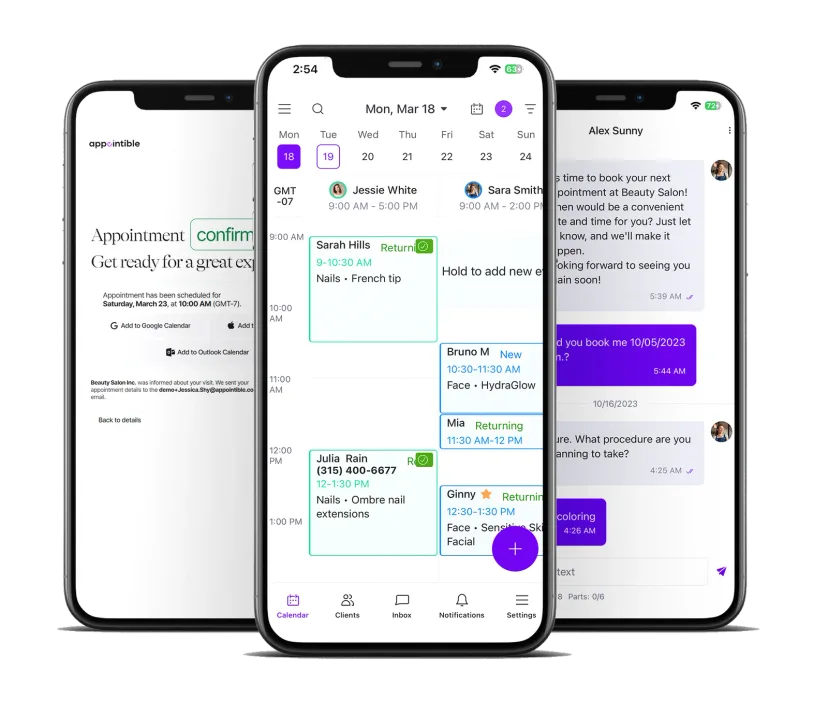
SMS and email reminders before every advising slot and office hour
Generic scheduling tools miss the one thing a campus reminder has to get right: counting in school days, not weekend hours. A reminder that lands at 11:43 PM on a Sunday for a Monday slot accomplishes nothing. Appointible's custom scheduled notifications let you tune the cadence — a 24-hour reminder, a one-hour heads-up, an extra evening push during registration week — and close availability blocks for reading week or campus holidays so families never book into a hole. The no-show rate that climbs every registration period flattens out in the first term.
Two-way texting from admissions, advising, and the career center
A prospective student texts 'running 20 min late' the morning of her tour. An advisee replies to her reminder asking to push her 2 PM to 3:15. Right now those messages go to a personal phone or get lost in a shared inbox. The stakes are real: when the back-and-forth of appointment scheduling becomes too burdensome, you risk losing students' interest. Appointible's two-way inbox keeps every conversation tied to the appointment, visible to whichever staff member is at the front desk, with a reschedule taking one tap. The applicant who would have given up keeps her place.
Semester-deadline pushes that actually reach the student body
Drop-add deadline is Friday. Registration opens for sophomores at 6 AM Tuesday. The career fair is two weeks out and the resume-review slots are filling. The cost of friction is plain: when the line is too long, some students have to come back the next day — which for working students means they do not come back at all. Appointible's SMS push lets the dean of students or the career center director text a segment of the student body — sophomores, business majors, first-generation students — with the booking link inline. Text open rates run above 90 percent. The @university.edu email runs below 30.
Department Operations
Multi-department coordination, room utilization, and peak-period planning.
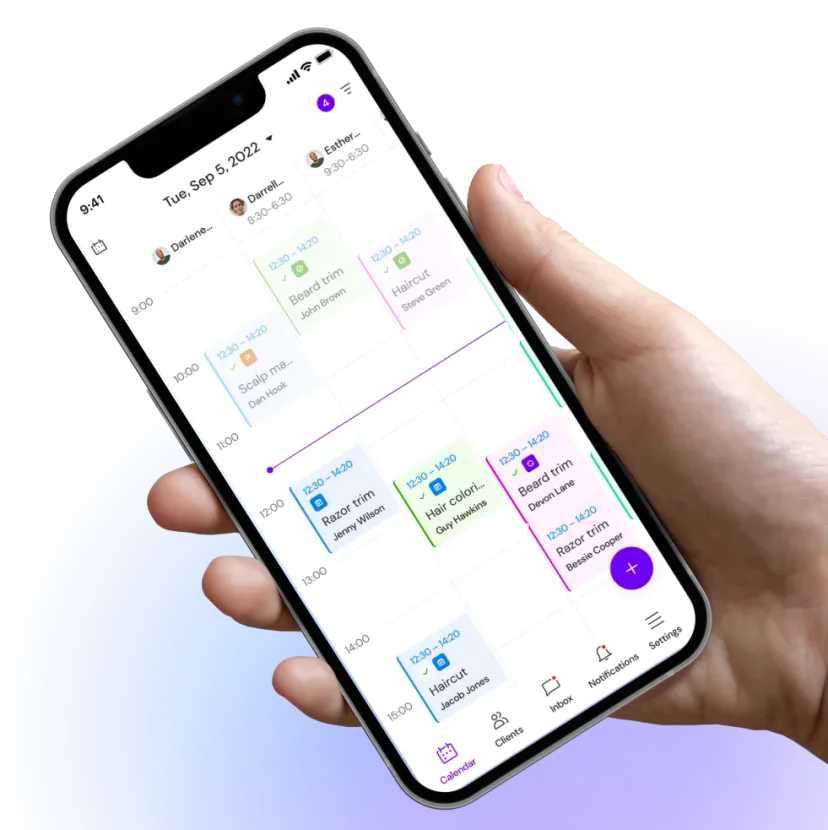
Every department, every advisor, every faculty member — one institutional view
Admissions has a director, three coordinators, and twelve student ambassadors. Advising has nine professional advisors split across colleges. The career center has four staff plus an alumni network of volunteer reviewers. Without one system, you can't follow the students and confirm they went where you referred them — there is no way to validate that they got what they need. Appointible gives each department its own page and its own admin while the dean's office sees the full institutional calendar — bookings by office, utilization by advisor, no-show rate by department — without asking each office to email a weekly report.
Rooms and meeting spaces booked alongside the staff member
The advising office has four interview rooms and a glass-walled meeting space that the career center borrows on Wednesdays. Right now somebody walks down the hall to check if Room 3 is free and writes their name on a whiteboard — the same caliber of analog workaround as still mapping out plans on paper, semester by semester. Appointible treats each room as a bookable resource the system has to find free at the same time as the advisor. The double-booking that derailed last Tuesday's prospective-student interview does not happen again.
Peak-period planning — registration week, open house, finals
Registration period doubles your advising volume in five business days. October open house doubles your tour traffic in one Saturday. Finals week empties your office-hour slots Monday and overruns them Thursday. The peaks are the place that breaks people — the registration crush, the open-house Saturday, the Thursday of finals week when every advisee turns up at once. Appointible lets each department publish different hours and different slot counts for these windows, open extra slots without rebuilding the whole calendar, and close the office for staff training without a single student booking into a hole. The peak does not break the system. The system bends to the peak.
Start with one department this term. Add the next one next term.
Most universities and colleges start with admissions or advising — the two offices feeling the most pressure during the registration period — then bring on faculty office hours and career services in the following term.
Set up the first department
Pick admissions or advising. Add your staff, your appointment types, your hours, and your rooms. A coordinator can have the first page live in an afternoon — and Pro includes free onboarding assistance plus free import and export, so you do not lose another Saturday rebuilding rosters by hand.
Publish the booking page on your .edu site
Embed the booking page on the admissions site, the advising portal, or the faculty directory. Prospective students, advisees, and current undergrads land on a page that looks like the rest of your university site — not a third-party booking link that triggers the IT-approval reflex.
Add the next department
Bring on career services, financial aid, the writing center, or faculty office hours by college. Each department keeps its own settings while the dean's office sees the institutional view. No second procurement cycle. No second migration.
New to Appointible?
Our online booking solution can help you seamlessly get a fully booked agenda for your business.
Get started freeEverything a university or college department needs to stop running booking on email and spreadsheets.
Built for admissions offices, advising centers, faculty office hours, career services, financial aid, and any campus department that takes appointments — Pro is $5 per user per month on annual billing ($60 per user per year) or $8 per user per month month-to-month, with free onboarding assistance on Pro and chat, email, and phone support on every plan.
Text reminders and semester-deadline pushes
Send 24-hour and one-hour SMS reminders before every advising slot, every tour, and every office-hour appointment — with custom scheduled notifications you tune for the academic calendar. Push drop-add deadlines, registration windows, and career-fair sign-ups to the student segment that needs them. The message that would have died in the .edu inbox lands in the text thread the student actually reads.
Explore SMS Marketing SoftwareDepartment dashboards the dean's office can actually use
See booking volume by office, no-show rate by advisor, tour-to-application conversion by ambassador, and room utilization by hour. The end-of-term report that used to take a week of pulling Outlook exports is one page that updates in real time — so the cabinet meeting stops being about who has the data and starts being about what the data says.
Explore Business Insights SoftwareAppointment reminders that cut advising no-shows
An advising no-show during registration period is not just a missed slot — it is a student who will not register, a hold that will not clear, and a phone call to the registrar in week two of the semester. Automated reminders by SMS and email to the student's phone and university address bring the no-show rate down in the first term and keep it there.
Explore Appointment Reminders SoftwareA booking app for staff who move between buildings
Advisors walking between colleges, admissions staff at a college fair, faculty between classes — the Appointible mobile app keeps the day's calendar, the student inbox, and the next available slot in one place. Confirm a make-up advising appointment from the cafe between meetings, not at 6 PM at the desk.
Explore Employee Scheduling AppMulti-department scheduling across the whole institution
Admissions, advising, career services, faculty, financial aid — each department manages its own staff, its own appointment types, and its own hours, while the dean's office sees the full institutional calendar. Add a new advisor or onboard a faculty member without rebuilding anything. Pro is $5 per user per month on annual billing ($60 per user per year) with unlimited users — so onboarding the next academic department does not require a procurement cycle.
Explore Employee Management SoftwareStudent records that follow the appointment, not the office
Track each advisee's degree progress, major, prior advising history, applicant status, and the notes from her last office-hour visit — visible to the next advisor she sees so she does not have to start the conversation over. The institutional memory stops living on one staff member's laptop. The integration layer the advising director has been performing for ten years goes back to the system, where it should have lived in the first place.
Explore Client Management SoftwareMake your next move.
Start your free trial. Pay only for the staff you have — no commitment, cancel anytime.