Parent-teacher conference software that ends the email chain
It is Sunday at 8:14 PM, the week before conferences. Twenty-six teachers each need a 15-minute slot grid filled. Every working parent wants an evening session. Three families need a Spanish interpreter, one needs Vietnamese, and nobody has told the front office yet. The Patel kids are in two different classrooms and their mom got one Tuesday afternoon off work — and on paper that means a 1:00 with Ms. Lin and a 3:30 with Mr. Howard with two hours to kill in the parking lot. You are the only adult in the building who knows where every body is buried, and the clipboard at the front office has stopped working. Appointible gives every classroom its own online sign-up, lets parents pick the slot that fits their workday, sends a clean reminder the night before, and includes free onboarding assistance plus free import/export on Pro — so you stop building fall conferences on a Google Sheet at 9 PM.

A conference-week booking system built around 15-minute slots, sibling stacks, evening sessions, and the interpreter who needs to be in the room.
You were hired to lead the school, not to be the integration layer between sign-up tools, a web form, twenty-six paper clipboards, and the personal scheduling links the fourth-grade team bought with their own credit cards because procurement takes six weeks. Conference week is two-and-a-half days of fifteen-minute conversations stacked twenty-four deep per teacher — plus the families who can only come after 5 PM, plus the parents who need an interpreter, plus the siblings whose mom cannot take two half-days off. Run it on a paper sign-up taped to the classroom door and the cost shows up in your evenings, your front office, and the parents who never book because the reminder went to spam at 11:43 PM Sunday. Appointible runs the whole week as one system — every teacher's grid, every classroom, every evening slot, every reminder calibrated to school days, every reschedule — so the conversations happen and the coordination disappears off your desk.
Online Sign-Up
Every classroom, every 15-minute slot, every family booking themselves.
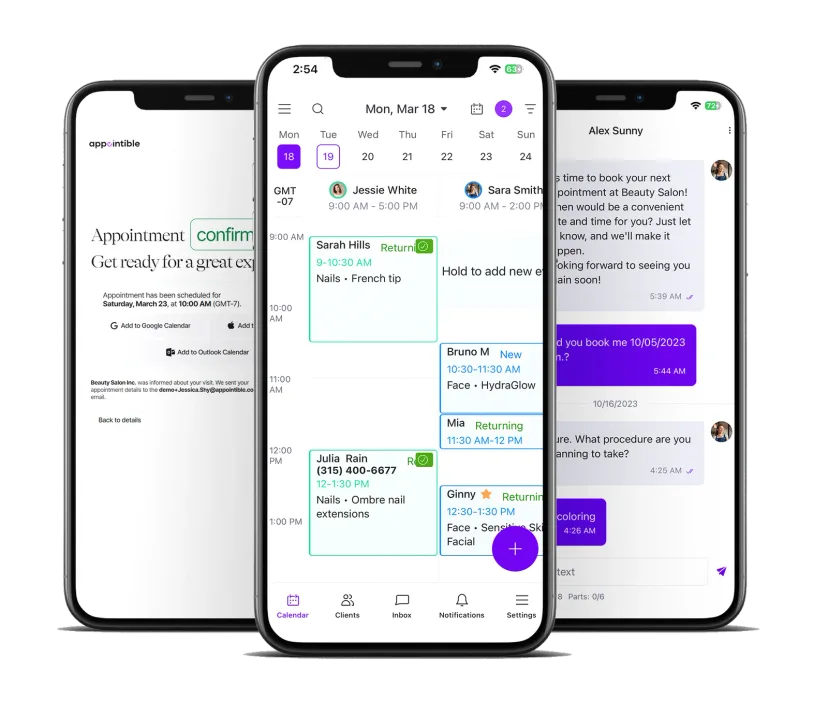
A 15-minute slot grid for every teacher
Mrs. Reyes has 26 families in her third-grade class. Conference week gives her Tuesday afternoon, Wednesday afternoon, and Thursday evening — fifteen minutes apiece, five minutes of buffer to write notes and walk one family out before the next walks in. On paper that is a clipboard taped to her classroom door, with a parent at 12:45 writing over a parent who wrote at 12:30 because nobody can read the previous parent's handwriting. Appointible builds the grid — 12:45, 1:00, 1:15 — and parents pick what is open in real time on their phone. The double bookings disappear. The sought-after teachers stop sitting in empty classrooms because the system could not tell anyone they were free.
One booking page that shows every teacher's open slot
The Patel family has a kindergartener in Ms. Lin's room and a fourth grader in Mr. Howard's room. Their mom works retail and got one Tuesday afternoon off — one. On paper that means two sign-ups, two clipboards, and a real chance she ends up with a 1:00 and a 3:30 and two hours in the parking lot waiting. Appointible's team booking page lets her see every teacher's open slots in one place, and she books a 1:00 with Ms. Lin and a 1:15 with Mr. Howard — back-to-back, walkable, one trip in and out. The working-class parent who would otherwise be filtered out by the booking experience — the one who cannot pop in, call, or wait on hold — is the one Appointible keeps in the room.
Evening sessions and interpreter requests, clearly captured
Eight of your families work second shift and cannot come during the school day. Three need a Spanish interpreter, one needs Vietnamese. On the paper sheet those needs disappear into a margin note nobody reads until Tuesday morning, and the family that most needed the conversation gets the worst slot. In Appointible the Thursday 5:00 to 7:30 evening block is its own service on the booking page, and custom fields let the parent flag interpreter-required at sign-up. The front office filters the conference roster by the custom field to see which classrooms need Mrs. Hernandez at which times. The families the institution says it serves stop getting filtered out by a booking process that was broken before they applied.
Parent Communication
Reminders, two-way text, and last-minute changes that do not run through your inbox at 11 PM.
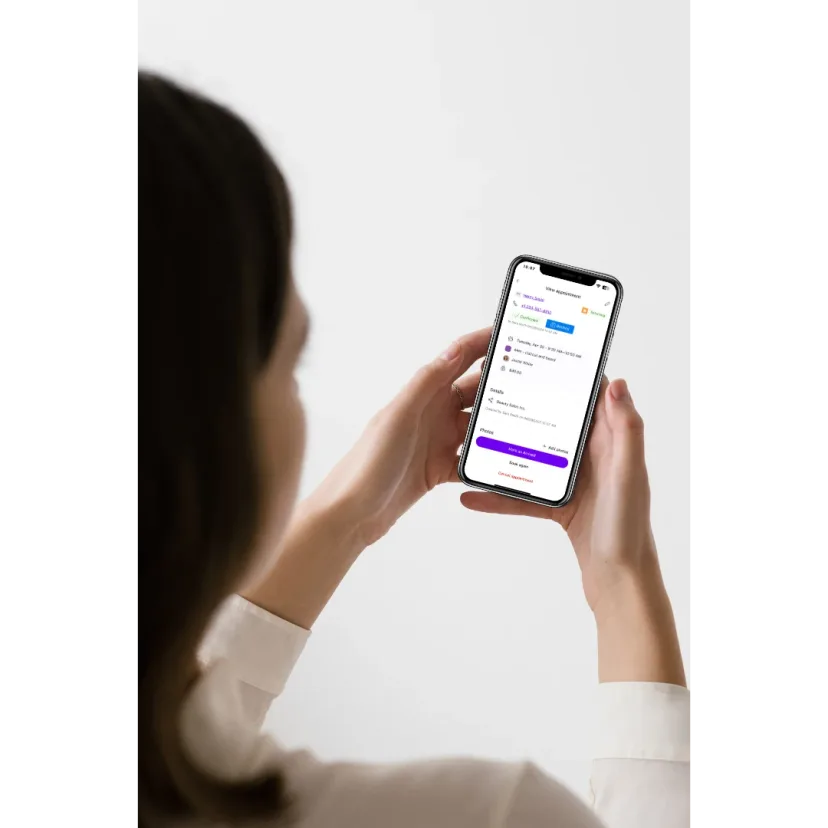
Instant confirmations and reminders the parent actually sees
A parent books a 5:45 PM slot with Mr. Howard on Sunday night from their phone. Appointible emails the confirmation in two seconds — teacher name, classroom number, the door to use after hours. The night before conferences a reminder goes out as a custom scheduled notification you tuned for the school week, not the 48-hour commercial default that emails parents at 11:43 PM Sunday for a Monday slot and accomplishes nothing — counting in school days, not weekend hours, is the precise indictment of generic scheduling SaaS. The morning of, a one-hour heads-up. The no-show rate on evening sessions — historically the worst, because parents forget after a nine-hour workday — drops because the reminder lands where the parent already lives.
Two-way messaging when the parent needs to ask one question
A dad replies to the reminder: "Will my son's reading specialist be there too?" On paper that question goes to the front office Monday morning and gets lost between forty other calls — the dad either shows up confused or doesn't show up at all. In Appointible it lands in a shared inbox the teacher and front office both see and answer in one tap — "Yes, Ms. Patel will join for the last five minutes" — without giving out a personal cell number. The teacher walks into the conference already knowing what the family wanted to talk about. The silent no-show — no call, no email, no warning — stops being the texture of conference week.
Last-minute changes you push in one SMS
Tuesday morning the third-grade teacher is out with the flu. Twelve families had slots with her that afternoon. On paper that means twelve phone calls before lunch, twelve voicemails, six callbacks, and three families who show up to an empty classroom anyway. In Appointible you close Tuesday afternoon for Mrs. Reyes and segment the affected families into an SMS campaign — "Your conference with Mrs. Reyes has been moved. Pick a new slot from her Thursday evening times here." SMS open rates run above 90 percent. Most parents rebook before they finish their coffee. The week recovers itself instead of recovering on the office manager's back — the one who used to feel like she was going to pitch the entire thing out the front window.
School Coordination
The whole conference week on one screen — every teacher, every classroom, every day.
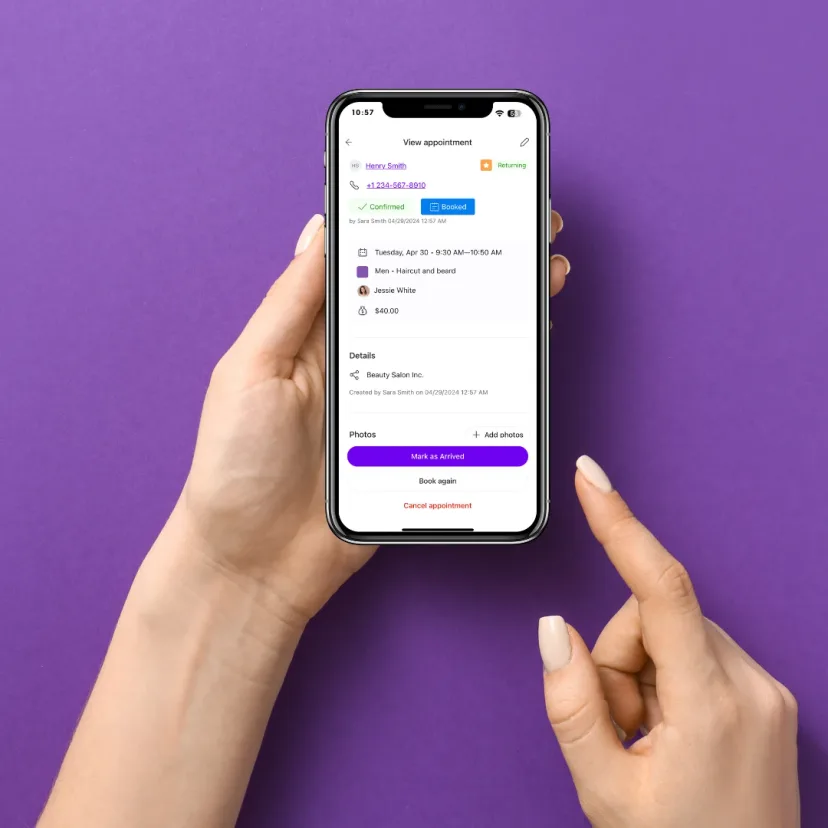
A teacher-grid view of the whole week
At 7:30 AM Tuesday you open one screen and see every teacher's slot grid for the day — Mrs. Reyes booked 22 of 24, Mr. Howard booked 18 of 22 with three evening slots open, the kindergarten team fully booked across Thursday. You see who needs a reminder text sent home to drum up sign-ups, which classrooms still have a 3:15 or a 6:00 gap a working parent could fill, and which teachers are oversubscribed and need an extra evening block opened before the day starts. The whole week is one screen the principal reads in thirty seconds, instead of twenty-six clipboards in twenty-six classrooms — and the era of still mapping plans on paper, semester by semester, finally ends.
Classroom assignments and the door parents actually use
Conferences after 4 PM mean parents are coming in through the east lot, not the main entrance. The kindergarten team is meeting in the library this year because Ms. Lin's classroom is being painted. The fourth-grade hallway is closed off after 5 PM. Parents do not know any of this unless somebody tells them — and the front office is fielding the same five wayfinding questions twenty times a night. Appointible attaches a classroom number, a building entrance, and a one-line note ("Use the door by the gym after 4 PM") to every confirmation and reminder, per teacher, per session. The phone stops ringing. The trustee-grade complaints about parent experience disappear before they reach the dean's inbox.
Multi-day conference scheduling on one work schedule
Most schools run conferences across two-and-a-half days — Tuesday afternoon, Wednesday all day, Thursday evening — sometimes split into fall and spring weeks. The master spreadsheet that holds it together is rebuilt every semester by the same office manager who already runs the school and works 55 hours a week. Appointible holds the multi-day structure on each teacher's work schedule. Different hours per day, different teachers available per block, evening sessions on a separate service, half-days marked off for staff meetings, the early-release Wednesday baked into business open hours. Set it up once in October, adjust it for March, and the only thing that changes is the dates on the email home. The integration job comes off her desk — finally.
Set up conference week in an afternoon, not a weekend.
Pro includes free onboarding assistance plus free import and export — so your rosters, classroom assignments, and family contacts move over without a weekend of retyping.
Add your teachers and classrooms
List every teacher who will hold conferences as a service provider, the classroom as a bookable room, and a custom field for any teacher who needs a special note (interpreter required, meeting in the library, evening-only).
Build the conference grid
Set the conference days, the hours each day (including the evening block for working parents), the slot length (15 or 20 minutes), and buffers between conferences. Tune custom scheduled notifications so reminders fire when you choose, not on a 48-hour commercial default.
Share with families
Send the sign-up link home in the backpack note, in the parent email, on the school website, and as an SMS campaign to every family on file. Parents book the slot that fits their workday — on their phone, in under a minute, without waiting on hold for the front office.
New to Appointible?
Our online booking solution can help you seamlessly get a fully booked agenda for your business.
Get started freeEverything a school needs to run conference week without a paper sign-up sheet.
Built for elementary, middle, and high schools running parent-teacher conferences, plus K-12 leadership teams who have spent ten years as the integration layer between sign-up tools, web forms, and twenty-six personal scheduling links.
Text reminders that cut evening-conference no-shows
An evening conference at 6:15 PM after a parent's nine-hour workday is the slot most likely to be missed. A 24-hour reminder and a one-hour heads-up by text — tuned through custom scheduled notifications, not the commercial 48-hour default — land in the same inbox the parent already checks twenty times a day. The no-show rate on Thursday evening drops, and the teacher does not spend twenty minutes alone in an empty classroom feeling stood up.
Explore SMS Marketing SoftwareConference-week reporting at a glance
See sign-up rate per classroom, no-show rate per evening session, the families you still need to chase, and which teachers are oversubscribed before Tuesday morning — instead of after Thursday night when the office manager is rebuilding the master sheet for the post-mortem. Walk into Monday's staff meeting with the numbers, not a clipboard. The CFO conversation about whether scheduling deserves a line item finally has data behind it.
Explore Business Insights SoftwareAutomated reminders for every confirmed family
Two reminders per conference, automatic, per family — the night before and an hour ahead. Nobody is making twenty-six phone calls on Monday afternoon to confirm Tuesday's grid. The reminders go out the same way for the daytime slots, the evening sessions, and the rescheduled ones after a teacher calls in sick. The front office stops being the human reminder service for two hundred families.
Explore Appointment Reminders SoftwareAn app for teachers and front-office staff
Teachers see their own grid for the week on their phone — who is coming, when, in what order, with any notes the family left. Front office sees the whole school. The office manager can close a slot, open an evening block, or rebook twelve families from a sick teacher's afternoon without ever opening the spreadsheet again. The principal stops being the only adult in the building who knows how the booking works.
Explore Employee Scheduling AppManage every teacher, every classroom, every interpreter
Each teacher has their own slot grid, their own hours, their own classroom, and their own tags (Spanish interpreter required, meets in the library, evening-only). The interpreter team sees a single report of where they need to be and when. Nothing lives in a margin note on a paper sheet anymore, and nothing requires the principal to be the integration layer between fourteen disconnected tools.
Explore Employee Management SoftwareFamily records that travel from fall to spring
Which parent booked, which sibling is in which homeroom, the language they need from a custom field, the slot they took in October, whether they showed up. In March you do not start from a blank sign-up sheet — you start from a client list that already knows the Patels need a Spanish interpreter for their two kids. Free import and export brings your existing rosters in, and Pro includes free onboarding assistance plus chat, email, and phone support.
Explore Client Management SoftwareMake your next move.
Start your free trial. Pay only for the staff you have — no commitment, cancel anytime.